
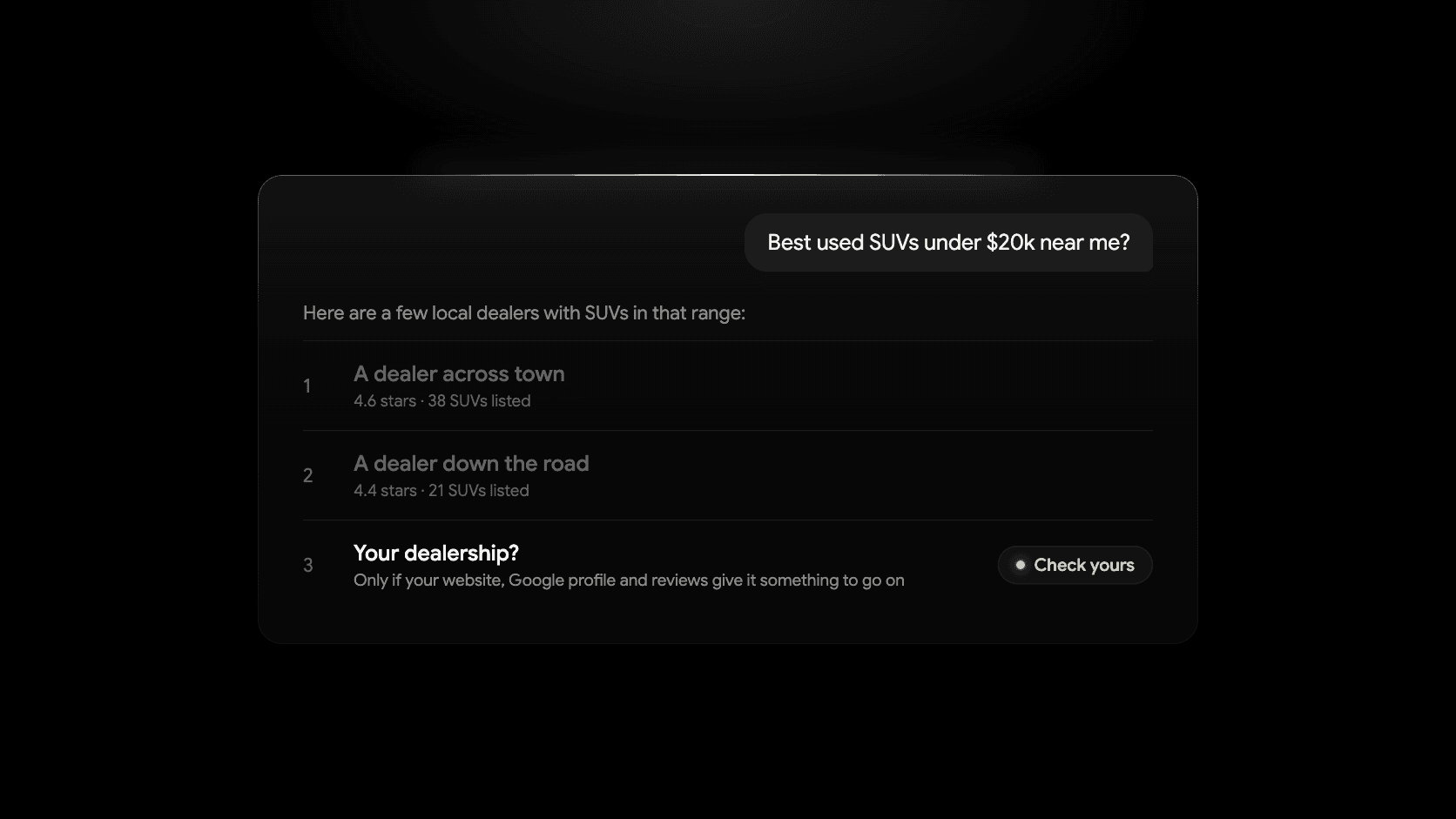
A shopper in your county opens ChatGPT on their phone and types “best used SUV under $20k near me, which dealers are legit?” They get three paragraphs and a few names. Yours is either in there or it isn’t, and they may never open Google at all.
This post covers what shoppers ask AI tools, where those tools get their answers, how to test what they say about your store today, and what you can change. There’s no secret formula. The companies behind these tools publish very little about how answers are chosen, and what they do publish, linked below, points to the same unglamorous work that gets you into Google Maps.
What car shoppers ask AI assistants
Shoppers use these tools the way they used to use a knowledgeable friend. The questions sound like conversation, not keywords:
- Shopping questions. “Best used truck under $25,000 for towing a boat.” “Is a 2019 Honda CR-V with 80,000 miles a good buy?”
- Local questions. “Used car dealers near Wexford with good reviews.” “Where can I get financed with bad credit in Allegheny County?”
- Trust questions. “Is [your dealership] in [your town] legit?” “What do people say about this dealership?”
- Logistics questions. “Is [your dealership] open on Sunday?” “Do they take trade-ins?”
As of October 2026, those questions are being asked in several places:
- ChatGPT. Web search is available on the free tier and even without signing in, and answers that use search show source links, according to OpenAI’s help article on web search.
- Google AI Overviews and AI Mode. AI Overviews are the summaries at the top of many Google results. AI Mode is the chat-style tab in Google Search. Google began rolling it out in the U.S. in May 2025, expanded it to more than 200 countries and territories that October, and said at I/O in May 2026 that it had passed one billion monthly users.
- Gemini, Google’s assistant app, which can check its answers against Google Search with its double-check feature.
- Perplexity, Claude and Microsoft Copilot, which answer from live web results and link their sources.
You don’t need to track every one of these. The point is that a shopper’s first question about your market may now be answered by software that summarizes the web, and what it finds about you decides whether you’re mentioned.
None of these tools knows your lot. When a shopper asks a local question, the tool runs web searches, reads what it finds, and writes a summary. So the answer is only as good as what exists online about you.
Where AI answers about dealerships come from
- Your website. Inventory pages, your about page, hours, financing and location pages. The only source you fully control.
- Google Business Profile and Google Maps. Name, address, phone, hours, categories, photos and reviews. Google’s guidance for AI features in Search tells site owners to keep Business Profile information current.
- Reviews. Google first, then Facebook, Yelp, DealerRater and the Better Business Bureau. “Is this dealer legit” is answered almost entirely from reviews and complaints.
- Listing sites. Cars.com, CarGurus, Autotrader and Facebook Marketplace. When a shopper asks for a specific vehicle under a price, the tool often finds it on a marketplace before it finds your site.
- Local news and directories. Chamber of commerce pages, local news stories, sponsorships, state dealer association listings.
The tools weigh these differently, and nobody outside those companies knows exactly how. What matters for you is simpler: if the facts about your dealership are missing, inconsistent or hidden inside an image or a widget, the tool skips you or guesses.
How to check what ChatGPT says about your dealership
Before you fix anything, find out where you stand. This takes about 20 minutes and costs nothing.
- Pick three tools. ChatGPT (with search on, or ask it to search the web), Google AI Mode (the AI Mode tab in Google Search), and one more: Gemini, Perplexity or Copilot.
- Ask each one the same five questions, using your real town and store name. Copy the prompts below and fill in the brackets.
- Score each answer with the checklist that follows.
- Save the screenshots. You’ll want them in three months to see what changed.
Prompt 1, the shopping question:
I'm looking for a reliable used SUV under $20,000 near [your town, state]. Which local dealerships should I look at, and why?
Prompt 2, the trust question:
Is [dealership name] in [town, state] a legitimate dealer? What do customers say about them, and is there anything I should be careful about?
Prompt 3, the logistics question:
What are the hours for [dealership name] in [town, state], what's their phone number and address, and do they offer financing or take trade-ins?
Prompt 4, the inventory question:
Does [dealership name] in [town, state] have any used trucks in stock right now? List a few with prices if you can find them.
Prompt 5, the competitor question:
Compare the used car dealerships in [town, state]. Which ones have the best reviews, and which would you recommend for someone with average credit?
Then score what came back:
- Were you named at all? Good: you’re named in prompts 1 and 5. Problem: only competitors are named.
- Were the basics right? Good: correct hours, phone and address. Problem: old hours, an old phone number or the wrong town.
- Did it find inventory? Good: it listed real vehicles with prices. Problem: “I couldn’t find current inventory.”
- Did it find reviews? Good: it summarized recent reviews fairly. Problem: it quoted one bad review from 2021, or nothing.
- Where did it link? Good: your site and your Business Profile. Problem: only listing sites, or a directory you’ve never heard of.
Each problem points at a fix in the checklist below. Wrong hours almost always trace back to a Business Profile, Facebook page or directory that was never updated. Missing inventory usually means a crawler can’t read your vehicle pages. Competitors named instead of you usually means they have more recent reviews or pages about the towns you both serve.
One caution: these tools give different answers on different days, and OpenAI itself says ChatGPT’s search results and citations can be incomplete, outdated or incorrect. Don’t panic over one odd answer. Look for the pattern across three tools and five prompts.
What actually affects whether you show up
You’ll see “generative engine optimization,” or GEO, sold as a new discipline. It just means making your business easy for AI tools to find, read and trust. Read the official guidance and it looks a lot like local SEO.
Google is the most direct. Its documentation for site owners says there are no additional requirements to appear in AI Overviews or AI Mode, no special markup, and no new AI text files. A page needs to be indexed, eligible to show a snippet, crawlable, and findable through links, with important content available as text. Google also says appearing isn’t guaranteed even when you meet all of that (Google Search Central: AI features and your website).
OpenAI’s guidance is shorter. Its crawler OAI-SearchBot is what surfaces websites in ChatGPT’s search features, and sites that block it won’t appear in those answers. OpenAI says to allow it in robots.txt, not to block its published IP ranges, and to expect about a day for a robots.txt change to take effect (OpenAI: overview of OpenAI crawlers).
Neither company says what makes one dealership get named over another. Treat everything beyond the basics as educated inference: tools that summarize the web favor businesses with consistent facts, plenty of recent reviews, and pages that plainly answer the questions shoppers ask. That’s the same advice as the car dealership SEO guide, because it’s the same job.
AI search checklist for car dealers
Work through these in order. The first three fix most “wrong hours” and “competitor named instead” problems. The rest fix “couldn’t find inventory.”
1. Complete your Google Business Profile
Every field: categories, hours including holidays, phone, website, services, photos, and a description that says what you sell and where. Answer the questions in the Q&A section yourself. This is the most-cited source for local questions, and the full setup is in the Google Business Profile guide.
2. Make your name, address and phone match everywhere
Pull up your website footer, Business Profile, Facebook page, Cars.com, CarGurus, Autotrader, Yelp, BBB and your state dealer association listing. Name, address format, phone number and hours should be identical. When an AI tool finds two phone numbers, it picks one or hedges. Fix old listings rather than leaving them.
3. Keep reviews coming, and reply to them
Volume and recency both matter, because a tool summarizing “what customers say” reads what’s there. Ask every buyer at delivery, reply to every review including the bad ones, and keep replies factual. A calm reply to a one-star review is often quoted back to shoppers as evidence you handle problems.
4. Give every vehicle a crawlable page with real words
A vehicle page a crawler can read has its own web address, a title with the year, make, model and trim, the price and mileage as text, and a description with sentences in it. Inventory that loads inside an iframe, a third-party widget or a photo of the window sticker is invisible to most crawlers. Ask your website provider to show you a vehicle page’s address, then search Google for it. For the writing, the prompt cheat sheet has a vehicle description prompt, and AI vehicle descriptions covers the review step.
5. Write location and financing pages
AI tools answer “dealers near Wexford” and “bad credit financing in Allegheny County” from pages that say those things. Write one honest page for each town your customers actually come from, with the drive time, what you tend to stock, and a link to real inventory. Write one financing page that explains who you work with and what a shopper should bring. Say where you’re actually located. The SEO guide explains how to build local pages without producing the thin copies Google’s spam policies warn about.
6. Add an FAQ in plain language
Put the questions from the test above on your site, in text, with direct answers: hours, trade-ins, financing, warranties, inspections, deposits, out-of-state buyers. The questions you hear on the phone are the ones shoppers type into ChatGPT. One page, written the way you’d say it, is enough.
7. Check robots.txt before you block crawlers
Your robots.txt file tells crawlers what they may read. Some website providers and security tools now block every AI crawler by default, which keeps you out of ChatGPT’s search answers whether you meant it or not. Open yourdealership.com/robots.txt in a browser and look for these names, verified against each company’s documentation as of October 2026:
- ChatGPT search: OAI-SearchBot affects search answers. GPTBot is the separate training crawler.
- Google AI Overviews and AI Mode: Googlebot, the same crawler as regular Search. Google-Extended controls Gemini training and grounding and, per Google, doesn’t affect Search inclusion or ranking.
- Perplexity: PerplexityBot affects search answers. No separate training crawler is documented.
- Claude: Claude-SearchBot affects search answers. ClaudeBot is the separate training crawler.
A line like this under one of the search crawlers means you’re opted out of that tool’s answers:
User-agent: OAI-SearchBot
Disallow: /
Blocking a training crawler like GPTBot or ClaudeBot is a separate decision. OpenAI says each setting is independent, so you can allow OAI-SearchBot while blocking GPTBot. The same split applies to Google-Extended, PerplexityBot and Anthropic’s crawlers. The fetchers triggered by a user’s own request (ChatGPT-User, Perplexity-User, Claude-User) may ignore robots.txt entirely, since a person asked for the page.
Google also says robots.txt is not a way to keep a page out of search results, and that recrawling after a change can take days to months.
8. Watch Search Console
Google reports clicks from AI Overviews and AI Mode inside the regular Performance report under the “Web” search type, so there’s no separate dashboard to find. If impressions on your location and financing pages climb after you add them, that’s your signal.
What this won’t do
Nobody can promise you a spot in an AI answer, including us. These tools change monthly and don’t publish their ranking. The checklist removes the reasons they’d skip you: missing facts, conflicting facts and pages they can’t read. The same work improves your Google Maps and regular search results, which still send most of your traffic.
If these tools are new to you, start with the plain-English guide for salespeople or the comparison of which AI tool to pay for. The test prompts above use only your public business information. Before anyone on your team puts customer details into a prompt, read what not to paste into ChatGPT.
Where Dealer Shock fits
Everything above can be done by hand on any website that gives each vehicle its own page. If you’d rather not write the location pages yourself, that’s the job Local Reach Pages were built for: pages on your Dealer Shock website that pair the vehicles, financing and services you offer with the nearby towns shoppers search, so reaching the next county isn’t a writing project for your team. They’re included with the Performance plan.
The AI Dealer Site is the website underneath: a dealership site built around your store, with inventory management that keeps every vehicle on its own page and in sync, lead management, and website analytics in one dashboard. Shoppers can filter by estimated monthly payment, and the Performance plan adds AI vehicle descriptions and Local Reach.
Want to see what your store would look like on it before deciding anything? Send us your current site and we’ll build a free preview of your new website, with no cost and no commitment. Or book a demo and run the five-prompt test with us on the call.