
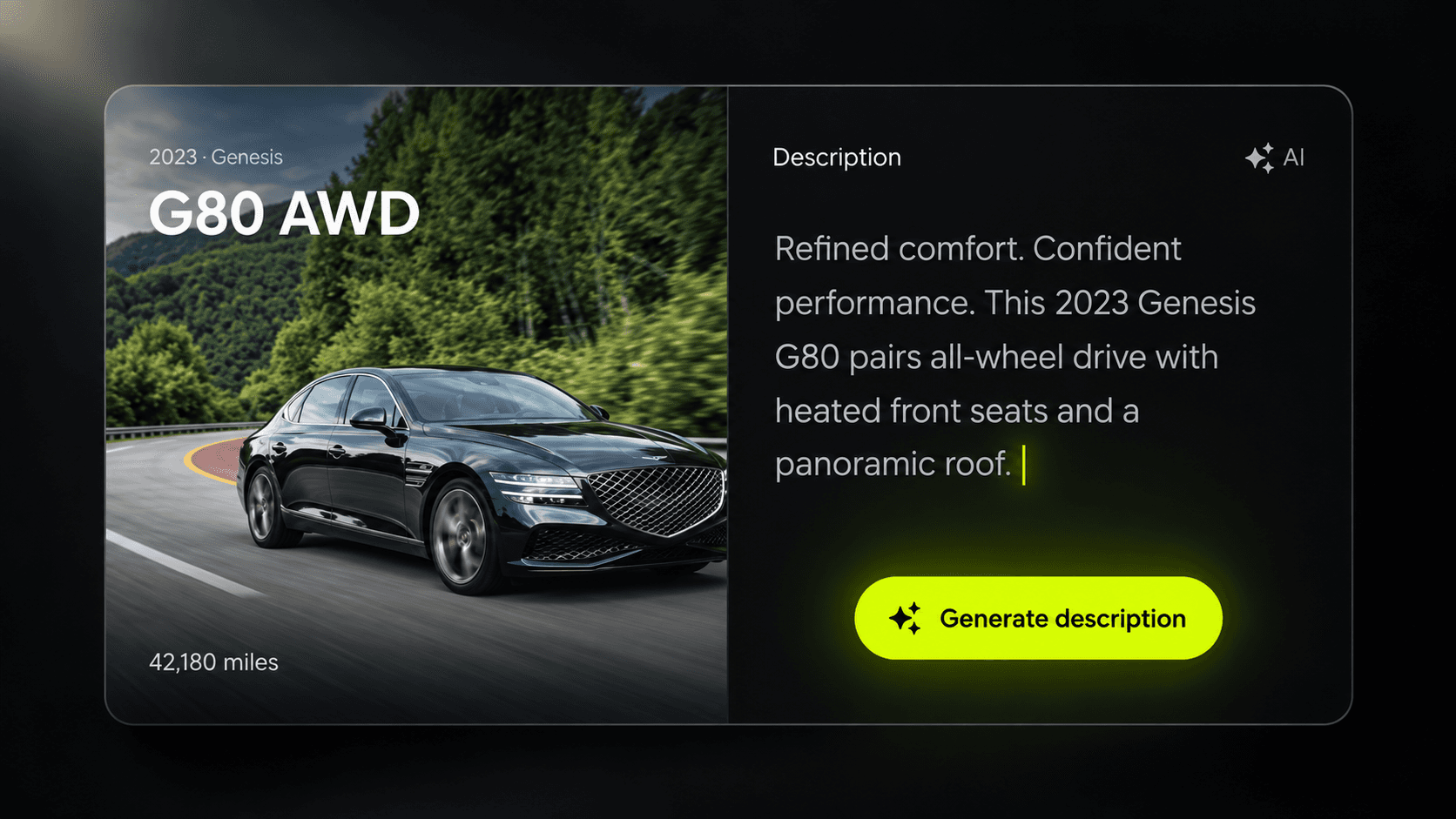
You already have the details: the year, make, model, mileage, and features that make a vehicle worth a closer look. Turning all of that into a useful description shouldn’t mean starting from scratch every time.
AI vehicle descriptions bring those details together in Dealer Shock, helping your team give each vehicle a clearer introduction. This post covers how the feature works, an example from start to finish, which plan includes it, and what to check before a description goes live.
Built from the inventory you already manage
The description starts with the information behind the vehicle. Details such as drivetrain, comfort features, and equipment become readable copy that helps a shopper picture the experience of owning it.
For example, all-wheel drive, heated seats, and a panoramic roof can become a short introduction focused on confidence, comfort, and everyday enjoyment. The facts stay useful; the words give them context.
How it works
In the vehicle editor, select Generate with AI next to the description. Dealer Shock writes a draft from that vehicle’s details and equipment, and you can edit it like any other description before you save.
- Regenerate for a different take. If the first version doesn’t sound right, generate again.
- Add instructions for one vehicle. Under Customize, tell it what to emphasize, such as family-friendly features or fuel economy.
- Set your dealership’s voice once. Owners and admins can add writing instructions in inventory settings for tone and emphasis. Your vehicle facts remain the source of truth.
- Choose when descriptions are written. Inventory settings let owners and admins turn the feature off, keep it manual, or fill in missing descriptions automatically when vehicles are saved or imported.
A worked example
The vehicle and the copy below are made up for this example.
A 2021 Toyota RAV4 XLE comes in on trade. The VIN decode and your walkaround give you:
- 2021 Toyota RAV4 XLE, all-wheel drive, 48,300 miles
- Blind spot monitoring, adaptive cruise control, Apple CarPlay and Android Auto
- Power liftgate, heated front seats, roof rails
Your salesperson adds one instruction: “Mention it’s a good fit for weekend trips.” The draft comes back along these lines:
Ready for the commute and the weekend. This 2021 Toyota RAV4 XLE pairs all-wheel drive with adaptive cruise control and blind spot monitoring, so longer drives feel easier. Heated front seats, Apple CarPlay and Android Auto keep the cabin comfortable and connected, and the power liftgate and roof rails make loading gear simple. 48,300 miles.
Before saving, the salesperson checks the mileage against the odometer, confirms the roof rails are on this vehicle, and adds a line about the new tires your service team just fitted, a detail only your dealership knows.
Which plan includes it
AI vehicle descriptions are included in the Performance plan, at $299 per website per month. The Starter plan, at $199, includes inventory management, but descriptions are written by hand or come from your import feed. Both plans are month to month. See pricing for the full comparison.
How it compares with writing descriptions by hand
Writing by hand gives you full control, and a great description written by someone who knows the car is hard to beat. The trouble is keeping it up. When a lot takes in vehicles every week, descriptions tend to end up in one of three states: carefully written for a few vehicles, copied and pasted from a template for most, or left blank.
AI vehicle descriptions change where the time goes. Instead of writing every listing from a blank text box, your team reviews a draft and adds what the data can’t know. Because every description starts from the same vehicle data and the same writing instructions, the listings also read more consistently, without being word-for-word copies of each other.
What doesn’t change is responsibility. The description is published under your dealership’s name, so a person should read it first.
Limits, and what to check before publishing
AI writes confidently, including about things it has no way of knowing. Treat every description as a draft:
- Start with complete details. The draft is only as good as the information behind it. Missing equipment won’t be mentioned; wrong equipment will be.
- Check the specifics. Confirm mileage, trim, drivetrain, and features against the vehicle before publishing.
- Cut claims you can’t back up. Phrases like “perfect condition,” “one owner,” or “no accidents” should come from your records, not a writing tool.
- Leave prices and terms to the listing. Keep pricing and financing details in the fields they belong to.
- Add what only you know. Recent reconditioning, new tires, or why the car is a good buy. Those details make a listing yours.
Part of a complete listing
A strong listing brings photos, vehicle information, and a clear description together. With AI helping on the writing, your team has one less blank page between a new arrival and a vehicle ready for shoppers. The same vehicle details also power automatic social posts on the Performance plan.
See AI vehicle descriptions in Dealer Shock inventory management.
Frequently asked questions
Will AI vehicle descriptions hurt my SEO?
Not because they’re written with AI. Google’s guidance says it rewards helpful, original content however it is produced, and that using AI to manipulate rankings is what violates its policies (Google Search Central). A description built from the vehicle’s real details, checked and added to by your team, is the kind of content that guidance describes. For more on getting found, see how to do car dealership SEO yourself.
Can AI write car descriptions automatically when I import inventory?
Yes. In Dealer Shock, owners and admins can set descriptions to be written automatically for vehicles that don’t have one, when vehicles are saved or imported. You can also keep it manual and generate each description yourself. Either way, review the result before it goes live.
Are AI vehicle descriptions included in every Dealer Shock plan?
No. They’re included in the Performance plan at $299 per website per month. The Starter plan, at $199, doesn’t include them.