
Maybe you opened ChatGPT once, typed something, got a wall of text and closed it. Fair enough. Nobody showed you what it’s for.
This guide is for a salesperson who has never used an AI assistant and doesn’t have an hour to learn one. It takes about ten minutes on your phone and ends with something you can use on the floor today. Nothing to buy. For the dealership-level picture, start with our guide to AI for car dealerships.
What is an AI chat assistant?
An AI chat assistant is an app you type or talk to in normal English, and it answers in normal English. You can ask it to rewrite a message, explain something, summarize a long email, translate, or play a customer so you can practice. It has read an enormous amount of text, so it’s good with words and general knowledge. It has not seen your inventory, your customer or your desk manager’s numbers, so it knows nothing about them unless you tell it. And it sounds confident even when it’s wrong. Think of it as a sharp assistant who writes fast, has never sold a car and sometimes makes things up.
How do I get ChatGPT on my phone?
ChatGPT is the most common one, so it’s the example here. Claude and Gemini work the same way, and you can swap either in. Our comparison of ChatGPT, Claude and Gemini for dealers covers which is worth paying for, but you don’t need to pay for any of them to follow this guide.
- Install the app. Search the App Store or Google Play for “ChatGPT.” On iPhone the developer is listed as OpenAI OpCo, LLC; on Android the publisher is OpenAI. Copycat apps use similar names and icons, so check the publisher before you install.
- Sign in. Create a free account with an email address, or continue with Google, Apple or Microsoft. Pick one and remember it; the app wants the same method every time.
- Type something. The box at the bottom of the screen is where you talk to it. Type a question the way you’d text a friend and send it. That’s the whole interface.
- Turn on voice. Tap the Voice icon in the message bar, allow the app to use your microphone when it asks, and pick a voice the first time. Then talk. The microphone control mutes you and the exit control ends the conversation. As of October 2026, OpenAI’s help center says free accounts get limited access to voice and the limits may change, so if it cuts you off, type instead.
One optional step while you’re in there: open the sidebar, tap your profile icon for Settings, then Data controls, and turn off “Improve the model for everyone” if you’d rather your chats not be used to train OpenAI’s models.
If you’d rather use Claude, voice mode is the sound-wave icon next to the microphone in the text box, and Anthropic says it’s available on the free plan. In Gemini, tap Live at the bottom of the app.
Five things to try today
Each of these takes a minute or two. Copy the prompts as they are and change the details. There are more in our prompt cheat sheet for car dealers. Every example uses made-up details on purpose; keep real customer names and numbers out of it, for reasons covered in the next section.
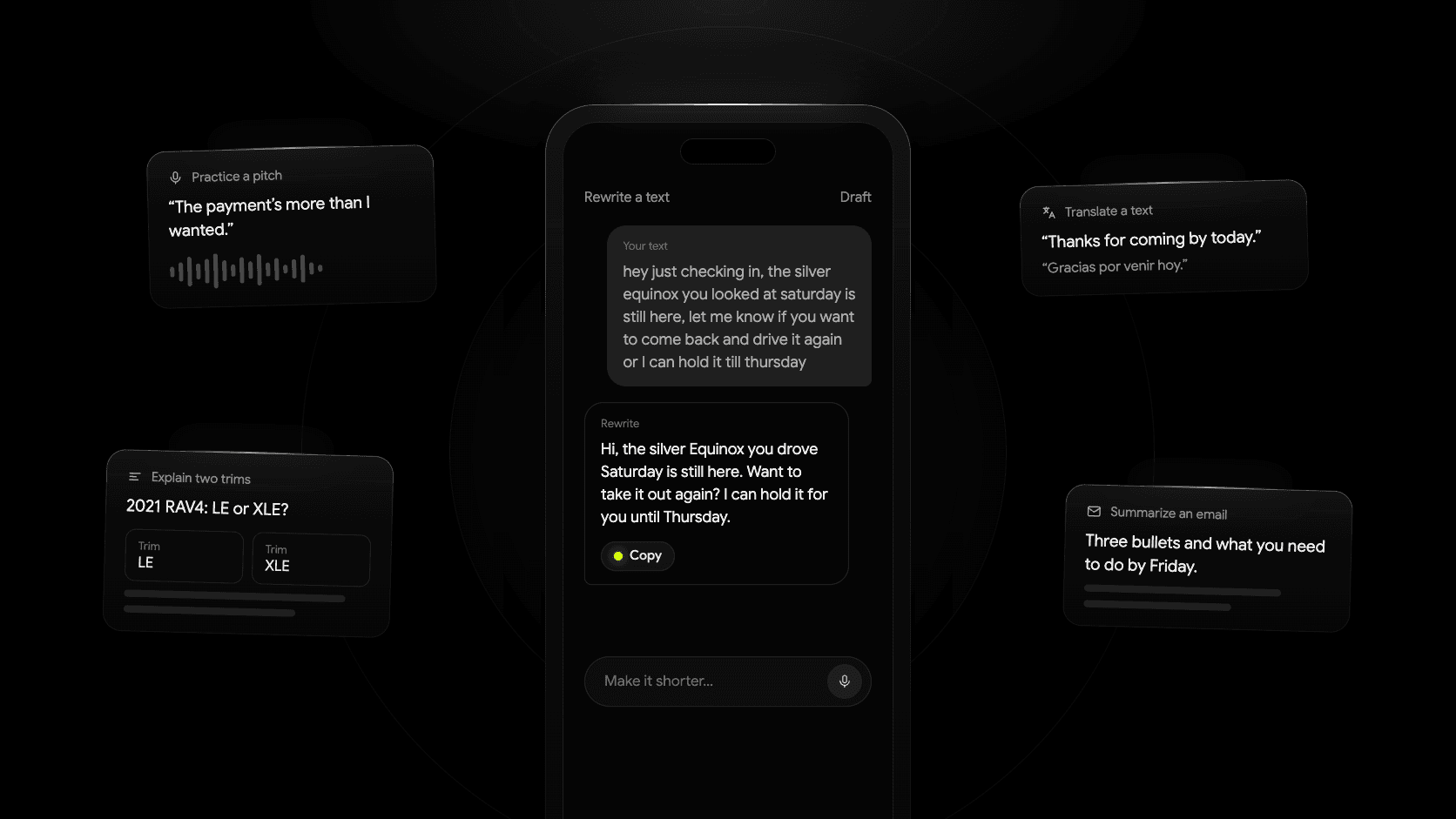
1. Rewrite a text to a customer
Most salespeople know what they want to say. The hard part is making it sound right while standing in the lot with a phone in one hand.
Rewrite this text so it sounds friendly, confident and short. No exclamation points, no emojis, no salesy phrases. Keep it under 50 words.

"hey just checking in, the silver equinox you looked at saturday is still here, we got a couple people asking about it, let me know if you want to come back and drive it again or I can hold it till thursday"
Read the result once before you send it. If it added anything you didn’t say, like a price or a promise, cut it. If it sounds like a brochure, tell it “more casual, like a real person texting” and try again.
2. Explain the difference between two trims
A shopper asks what they’d give up by taking the LE instead of the XLE. You know most of it, but you want the clean version.
I sell used cars. Explain the main differences between a 2021 Toyota RAV4 LE and a 2021 Toyota RAV4 XLE in plain language a customer would understand. List 5 to 7 differences, most noticeable first, and say which ones a buyer would actually feel day to day. If you're not sure about a detail, say so instead of guessing.
This one is useful and risky at the same time. Trim details change by model year and region, and the assistant will sometimes describe equipment the car doesn’t have. Use the answer to organize what you say, then check it against the window sticker or the manufacturer’s site before you tell a customer the car has something.
3. Practice a pitch out loud
This is what voice mode is for, and it’s the one most people never try. Start a voice conversation and say this:
Play a customer who is looking at a 2019 Honda Civic on my lot. You're interested but worried about the mileage, which is 88,000. Ask me realistic questions one at a time, push back a little, and don't make it easy. After five questions, stop and tell me what I did well and what I should say differently.
Do it in your car before your shift. It’s awkward for about thirty seconds, then it’s useful. Change the car, the objection or the customer every time.
4. Summarize a long email
Some emails from a manager, a lender rep or a manufacturer run a full screen or more. Paste it in and ask for the short version.
Summarize this email in 3 bullet points. Then tell me if there is anything I'm being asked to do, and by when.

[paste the email here]
Before you paste, delete any customer’s name, phone number, email address, home address or deal details and replace them with “the customer.” The summary works just as well.
5. Translate a message
If a customer’s first language isn’t English, a clean translation beats a guess, and it beats making them do the work.
Translate this text into Spanish. Keep it friendly and natural, the way a person would actually text, not formal. Then give me the English back-translation so I can check it.

"Thanks for coming by today. The truck you drove is still available. If you'd like to bring your family to see it this weekend, I'm here Saturday from 9 to 6."
The back-translation shows you what you actually sent. Keep translations to logistics and friendly messages. Pricing, financing terms and anything legal go through a human translator or your finance office.
What not to do with AI in car sales
These tools are useful because you can put anything into them. That’s also the problem. Four rules keep you out of trouble.
- Don’t paste customer personal information. Names, phone numbers, email addresses, driver’s license details, Social Security numbers, credit applications, anything from a deal jacket. Consumer chat apps may store what you type and, depending on your settings, use it to improve their models. Dealers that arrange financing can also fall under the FTC Safeguards Rule, which sets rules for handling customer financial information. This isn’t legal advice. Our guide to what not to paste into ChatGPT covers the Safeguards Rule in detail. If your store has a policy on AI tools, follow it; if it doesn’t, ask your manager before you start.
- Don’t let it quote payments, rates or terms. It will happily calculate a monthly payment, and it will be wrong about your lender’s rate, your fees and your state’s taxes. Payments come from the desk, not from an app.
- Don’t let it tell you about vehicle history. It cannot see a VIN’s history. Ask whether a car has been in an accident and it will either say it doesn’t know or make something up. Use the history report and your own records.
- Don’t let it be the final word on vehicle facts. Trim equipment, towing capacity, fuel economy, recalls and warranty coverage all need checking against the manufacturer or the sticker first.
A simple way to remember it: use AI for how you say things, not for what the numbers are.
How can you tell when an AI answer is wrong?
You usually can’t tell from the answer itself. It reads the same whether it’s right or wrong. So watch for the situations where it’s likely to be wrong:
- Specific numbers. Horsepower, towing capacity, cargo space, fuel economy. It often gets these close but not exact, and close isn’t good enough when a customer repeats it to their mechanic.
- Anything that changed recently. New model years, new trims, price changes, recalls and incentives. It may be working from older information or an out-of-date web page.
- Anything about a specific car. Give it a year, make and model and it describes a typical one, not the one in your front row.
- Anything it states too smoothly. A detail you didn’t ask for, delivered with no hedging, is the one to check.
When you suspect a mistake:
- Ask where it got that. “What’s your source for the towing capacity?” If it names a manufacturer page, open the page. If it can’t, treat the answer as a guess.
- Check it against something real. The window sticker, the manufacturer’s site, the history report or your manager.
- Tell it when it’s wrong. Reply with the correct detail and it will fix the rest of the answer.
- Don’t pass it along until you’ve checked. The customer doesn’t care where the mistake came from. They remember who said it.
None of this makes the tool less worth using. A salesperson who can clean up a text, prep for a trim question in a minute and practice an objection on the drive in has an edge. Keep the facts coming from the car, the paperwork and the desk, and let AI handle the words.