
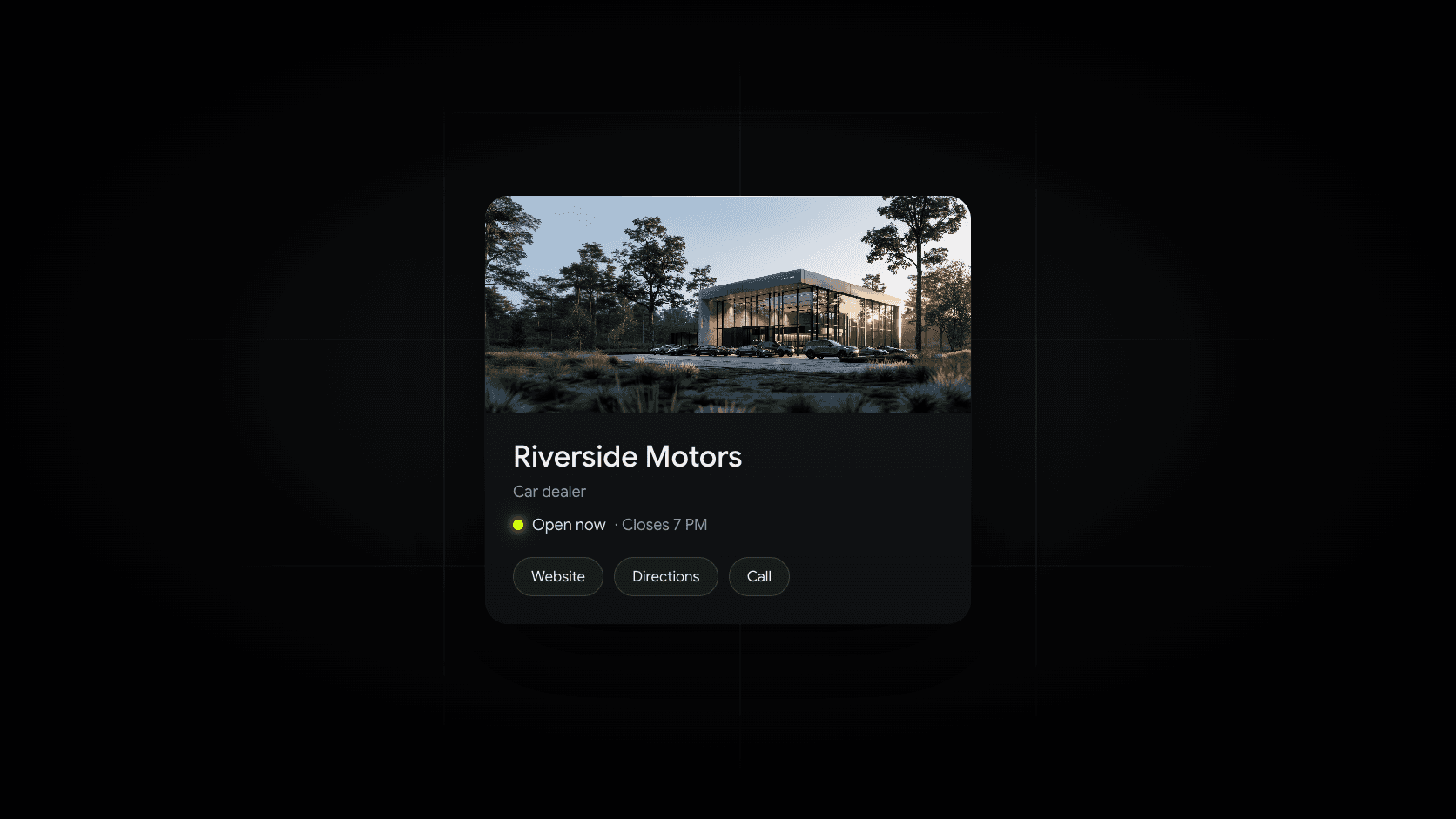
When a shopper searches for your dealership, or for “used cars near me” anywhere close to your lot, the first thing they often see isn’t your website. It’s your Google Business Profile: your name, your photos, your hours, your reviews, and a button to call or get directions.
For an independent dealer, it’s the most valuable free listing there is. This guide goes deeper than our car dealership SEO guide on the profile itself: how to set it up the way Google’s dealership guidelines describe, what to put in it, and what actually moves you up in local results. Everything comes from Google’s own help pages, checked in October 2026. Google changes Business Profile features often, so check the linked pages as you go.
How Google decides who shows up in Maps
Google says local results are based mainly on three things (Google Business Profile Help):
- Relevance: how well your profile matches what someone is searching for.
- Distance: how far your dealership is from the person searching.
- Prominence: how well known your business is. Google says more reviews and positive ratings can help.
Google also says there’s no way to request or pay for a better local ranking. That’s good news for a well-run independent lot. You can’t change your distance from a shopper, but relevance and prominence are mostly in your control, and a complete, accurate, well-reviewed profile is how you improve both.
Step 1: Claim and verify your profile
Search for your dealership on Google Maps. If a profile already exists, request ownership. If not, create one at business.google.com.
Then verify it. Google chooses the verification method for you, and it can include a phone call or text, email, a live video call, a postcard, or a recorded video. (Verification methods) Video verification is common for storefront businesses like dealerships. Google’s rules for it (Video verification):
- At least 30 seconds, recorded live in one continuous take. Pre-recorded or edited video isn’t allowed.
- Show where you are: street signs, building numbers, or nearby businesses.
- Show your sign, with your business name on a permanent fixture. It has to match the name on your profile.
- Show proof you run the place, such as opening the office, a key cabinet, or a point-of-sale system only staff can access.
- Don’t show sensitive information like account or ID numbers, or other people’s faces.
Plan it for a quiet moment when the lot sign and building are easy to film.
Step 2: Set up your profiles the way Google allows
Google has specific guidelines for dealerships, and they’re different from most businesses:
- Every dealership can have a profile for the dealership itself, plus separate profiles for departments such as sales, parts, or service. Name each department with your dealership name plus the department, like “Smith Motors Service.”
- Each department needs its own category, different from the main profile. Google recommends “Car dealer” for sales, “Car service” for maintenance, and “Auto parts business” for parts.
- New-car dealerships can also have a profile for each brand of new cars they sell.
- Used-car dealerships can’t have profiles per brand. Google explains that the brands a used-car dealer sells change too often.
For most independent lots, that means one main profile, plus a service department profile if you run a public-facing service shop with its own hours and phone number.
Hours
Google’s general guidelines say dealerships should use their car sales hours. If new and pre-owned sales hours differ, use the new car sales hours. (Business Profile guidelines) Department profiles can list their own hours. Update holiday and special hours ahead of time, so nobody drives out to a locked gate.
Step 3: Get the basics exactly right
Your name
Use your real-world business name, the one on your sign, your website, and your paperwork. Google doesn’t allow extra information in the name, including taglines, phone numbers, website addresses, descriptions of what you sell, or location details. (Business Profile guidelines) “Smith Motors” is fine. “Smith Motors Used Cars Trucks Bad Credit OK Pittsburgh” can get a profile suspended.
Your categories
Google says to use as few categories as possible, and to choose ones that complete the sentence “This business IS a…” rather than ones that describe your services. (Business Profile guidelines) Google’s dealership guide recommends “Car dealer” for sales. Google’s category list also includes more specific options, such as “Used car dealer,” so choose the one that best describes your main business, and add secondary categories only when they’re true for your dealership as a whole.
Your address
Dealerships have a showroom or lot that customers visit, so they should show their address. Google doesn’t allow P.O. boxes, remote mailboxes, or virtual offices. (Business Profile guidelines) If you have more than one lot, each location with its own staff and hours can have its own profile.
Your website and phone number
Link to your website, and make sure your name, address, and phone number match your website, Facebook page, and listing sites exactly. If a department has its own page on your site, link its profile there.
Step 4: Fill out the profile completely
A complete profile gives Google more to match against searches, and gives shoppers more reasons to choose you.
- Description. Say what you sell, who you help, and what makes your dealership different. Google’s guidelines say the description shouldn’t focus on promotions or prices, and it can’t include links. (Business Profile guidelines)
- Photos and videos. Google’s dealership guide describes three kinds: a logo, a cover photo, and business photos, and it recommends adding media regularly. (Google Business Profile Help) Show the building from the street, the lot, your team, and current vehicles. Shoppers want to know what they’re driving up to.
- Attributes. You can set factual details such as the payment types you accept. Other attributes come from shopper feedback. (Google Business Profile Help)
- Posts. Google’s dealer guide suggests posting about sales events, new or popular vehicles, and services. (Google Business Profile Help) A new arrival or a weekend event shows the profile is cared for. Our social media ideas for dealers work here too.
What about inventory and messaging?
Two features dealers ask about have changed:
- Chat is gone. Google ended the chat and call history features in Business Profile on July 31, 2024. (Google Business Profile Help) Make sure your phone number and website forms are easy to find instead.
- Inventory on your profile is a pilot. Google describes a Cars for Sale pilot that shows a dealership’s available inventory on its Business Profile, with an interest form for dealers. (Google Business Profile Help) The paid way to put vehicles in Google results is vehicle ads, which also require a linked Business Profile. Our guide to Google vehicle listing ads explains how they work.
Step 5: Build a steady stream of reviews
Reviews affect both your ranking and whether a shopper picks you once they see you. The goal is steady, honest reviews from real customers, and both Google and the FTC have rules about how you get them.
Google’s review policy says merchants may encourage genuine reviews, but may not (Google Maps user contributed content policy):
- Offer incentives such as payment, discounts, or free goods or services for reviews.
- Discourage negative reviews, or ask only the customers they expect to be happy.
- Require or pressure customers to leave reviews while they’re on the premises.
- Set review quotas for staff, or ask staff to collect reviews with specific content.
The FTC’s rule on consumer reviews, which took effect in October 2024, also prohibits fake reviews and incentives conditioned on a review being positive. (FTC Consumer Reviews and Testimonials Rule Q&A)
A routine that fits both:
- Ask every buyer the same way. A short, friendly request at delivery, plus a text or email with your review link that they can use later.
- Don’t hand them a tablet at the desk. Make it easy, not mandatory.
- Reply to every review. Thank people by name. For negative reviews, respond calmly, acknowledge the issue, and offer to talk it through. Future shoppers read your replies as closely as the reviews.
Common questions about dealership Business Profiles
Does a Google Business Profile help my dealership’s SEO?
Yes, for local searches. Your profile is what appears in the map results, and Google’s ranking factors for those results are relevance, distance, and prominence. Your website still matters for the regular results below the map, and for searches in towns farther from your lot.
How do I rank higher in Google Maps?
Keep your profile complete and accurate, choose the right category, keep your hours current, add photos regularly, and earn steady reviews. Make sure your website and your other listings show the same name, address, and phone number. There’s no way to pay for a higher map ranking.
Can my dealership have more than one profile?
Yes, within Google’s rules. You can have a main profile and separate profiles for departments like service and parts. New-car dealers can also have a profile per brand they sell. Used-car dealers can’t have per-brand profiles.
Should I add keywords like “used trucks” to my business name?
No. Google doesn’t allow descriptions of your products or services in your business name. Put that information in your categories, description, and posts instead.
Why doesn’t my dealership show up for searches in the next town over?
Distance is one of Google’s main local ranking factors, so your profile does its best work near your lot. To reach shoppers in nearby towns, your website needs pages about the vehicles, financing, and services you offer to the places they live.
Where Dealer Shock fits
Your Business Profile gets you into the map near your lot. Your website has to do the rest. Dealer Shock builds websites for independent dealers that work with your profile:
- Local Reach Pages help you show up for the vehicles, financing, and towns your shoppers search for, including the towns your profile doesn’t reach. They’re included with the Performance plan.
- Every vehicle gets its own page, kept in sync through inventory management, so shoppers who click from your profile land on current inventory.
- Lead management collects inquiries from your site in one place, so the shoppers your profile sends you get a quick reply.
See it for yourself: we’ll build a free preview of your new website within 24 hours. Or book a demo to walk through how it fits your dealership.