
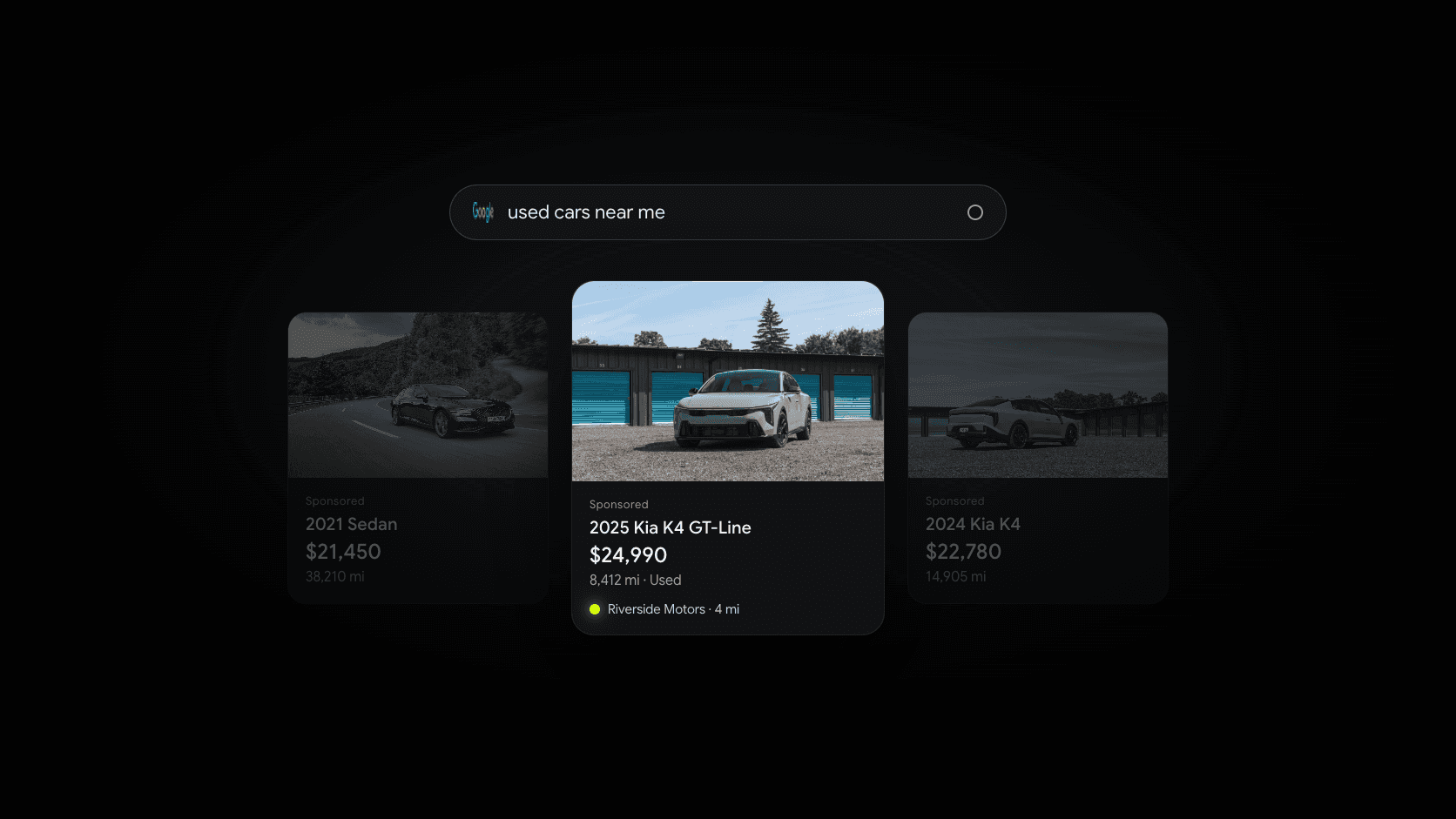
Search for “used SUVs near me” and you’ll often see a row of vehicle photos at the top of the results, each with a price, mileage, and the dealer’s name. Those are Google vehicle ads, still widely called vehicle listing ads, or VLAs.
For a dealer, they’re one of the most direct ad formats there is. A shopper sees a specific vehicle, at a specific price, at a dealership near them, and one click takes them to that vehicle’s page. This guide covers what vehicle ads are, who can run them, how setup works, and the rules that most often get dealers disapproved. Everything here comes from Google’s own help pages, checked in October 2026. Google updates these programs often, so check the linked pages before you start.
What are Google vehicle listing ads?
Google describes vehicle ads as “a performance-focused lower funnel ad format.” Each ad shows a photo of the vehicle along with its make, model, price, mileage, and the advertiser’s name. When a shopper clicks, they go to the vehicle’s page on your website. (Google Merchant Center Help)
Vehicle ads are fully available in the United States, Australia, Canada, and Japan, and in beta in several European countries. They show on Google Search, and Google is gradually rolling out vehicle feed ads on its Display network in those four fully released countries. (Google Merchant Center Help)
They support both new and used vehicles from dealer inventory, so independent used-car dealers are eligible.
Are Google vehicle ads free?
No. Vehicle ads are paid ads that run through Google Ads. Google’s policy page also says that free listings aren’t supported for vehicle sales. (Vehicle ads policies)
Separately, Google’s Business Profile help pages describe a Cars for Sale pilot that shows a dealership’s available inventory on its Business Profile, with an interest form for dealers who want to take part. (Google Business Profile Help) That’s not the same thing as vehicle ads, and availability is limited to the pilot.
Who can run vehicle ads?
Google’s vehicle ads policies set out who qualifies. The main requirements for a dealership:
- A physical location. You need a brick-and-mortar business location that customers can visit, in the state where the vehicle is listed for sale.
- A dealer license where your jurisdiction requires one. A state dealer license or business registration counts. A driver’s license or sales receipts don’t.
- Direct sales only. Brokers aren’t allowed, and Google’s overview says vehicle ads from private sellers and individuals aren’t permitted either.
- Eligible vehicles. Vehicle ads are for passenger vehicles such as cars and pickup trucks. Parts, accessories, services, and vehicles with title problems aren’t eligible.
What you need to set up vehicle ads
Setup happens across three Google products. Google’s setup guide walks through the steps, which come down to this:
- A Google Merchant Center account with your website verified and claimed.
- A linked Google Ads account, where the campaigns run.
- A linked Google Business Profile. Google says your Business Profile must be linked to turn on the vehicle ads add-on. (Google Ads Help) Your profile’s address, hours, and category need to be accurate.
- The vehicle ads add-on, turned on in Merchant Center settings for your country.
- A vehicle inventory feed, sent to Merchant Center as a file, Google Sheet, or through Google’s API.
- A website review. Google checks your vehicle pages before your ads can run.
What goes in the vehicle feed
The feed is a list of your vehicles in the format Google expects. Google’s vehicle attribute specification lists the required fields, which include each vehicle’s VIN, price, mileage, condition (new or used), brand, model, year, color, a link to its page on your website, and an image link. For vehicles sold in your store, each one also carries a store code that ties it to your Business Profile location.
Most dealers don’t build this by hand. It usually comes from your inventory system, a website provider, or a feed company. Google runs a vehicle feed service provider program for companies that create and manage feeds for dealers, and it says those providers set their own pricing.
Which campaigns use the feed
Once your feed is approved, you can use it in Performance Max or Standard Shopping campaigns. Performance Max uses Google’s automation across channels. Standard Shopping gives you more control over which vehicles are shown. You can use both. (Google Merchant Center Help)
In the US, Google also offers vehicle feeds on Search ads, which add your inventory to your existing text ads. Those are billed per click. (Google Merchant Center Help)
The rules that trip dealers up
Most vehicle ad disapprovals come back to two things: price and the vehicle page.
Your price has to be the real price
In the US, Google says the price in your feed should be the actual price any consumer can pay for the vehicle, excluding only required government charges and fees. (Vehicle attribute specification) In practice, that means dealer-added fees such as documentation fees belong in the advertised price, not on top of it.
The price in your feed must also exactly match the price on your vehicle page. (Vehicle ads policies) If your website shows $18,995 and your feed says $18,495, the ad can be disapproved.
Your vehicle page has to show the details
Google’s website review checks that each vehicle page shows your dealership’s name and location, the price, the VIN, and the mileage for used vehicles, without extra clicks. The page also can’t show the vehicle as sold, reserved, or otherwise unavailable. (Setup guide)
That makes sold vehicles a real problem. If a vehicle sells on Saturday and stays in your feed until Tuesday, shoppers click an ad for a car they can’t buy, and Google may flag the page.
Making vehicle ads work for an independent lot
- Keep your inventory in one place. Your website, your feed, and your listings should all come from the same source, so prices and availability match everywhere.
- Use real photos. The photo is most of the ad. A clean, well-lit shot of the actual vehicle gets more attention than a placeholder.
- Price consistently. Decide how you handle fees once, and apply it everywhere: your website, your feed, and your other listings.
- Send clicks to a page that converts. The click lands on a vehicle page, so make sure it loads quickly on a phone and makes it easy to ask a question, schedule a test drive, or start a credit application.
- Get your Business Profile right first. Your profile is part of the setup, and it’s also where many local shoppers find you. Our Google Business Profile guide for car dealers covers it step by step.
Vehicle ads compared with Facebook inventory ads
Meta offers a similar format, automotive inventory ads, built from a vehicle catalog and shown on Facebook and Instagram, including Facebook Marketplace. The big difference is intent. Google vehicle ads appear when someone searches for a vehicle. Facebook inventory ads reach shoppers as they scroll. Many dealers use both. Our guide to Facebook Marketplace for car dealers explains how Meta’s version works.
Where Dealer Shock helps
Vehicle ads depend on clean inventory data and good vehicle pages, and that’s where Dealer Shock starts.
- Inventory management keeps your vehicles in one place, with VIN decoding, branded photo overlays, and AI vehicle descriptions. Inventory syndication exports your listings to the providers you use, and Google is one of them.
- Your Dealer Shock website gives every vehicle its own fast, mobile-friendly page, with lead forms and payment-based browsing built in.
- Managed Advertising plans and runs campaigns on Facebook, Instagram, and Google around your market and budget, with a dashboard that shows clicks, leads, and spend. If you’re weighing vehicle ads against other Google campaigns, we can talk through what fits.
Book a demo to talk it through, or see your dealership on a new site first with a free website preview.